How Not to Forget that Phenomenal Song
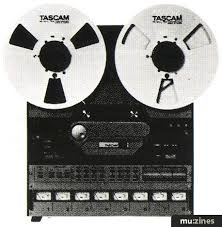
It’s extremely important to have a way of recording and capturing your ideas. In fact it’s necessary for doing the song assignments in this course. It doesn’t have to be a sophisticated high-end recording system. Anything that can record the melody and the words good enough for you to recognize later on will suffice. I started out using reel to reel, then cassettes, and finally digital. The medium is unimportant. Think of the function of the recorder as more or less that of a sketchbook. It’s not intended to be a way of recording a final version of your songs, or even of properly demoing them. It’s just a way of nailing down your ideas in a tangible format so that you won’t forget them. I can’t tell you how many times I’ve written melodies that I was too lazy to record, and that I was sure I’d remember the next morning, that somehow slipped away in the night. Don’t trust your memory! Trust the recorder!
Some of you may want to take the plunge and get Pro Tools recording software for your home computer. That’s fine. There’s nothing wrong with that, however, the financial commitment is substantial as well as the time commitment. In the past year I made the commitment to Pro Tools, but even after a lifetime of recording I had to take a course to fully understand it. It’s a fantastic program and one that I’d heartily recommend if you’re comfortable with technology, have the budget, and have the time.
There are many less expensive alternatives that for these purposes will more than fill the bill. An important thing to note is that, if possible, you’re going to want to choose a recorder that interfaces somehow with your computer. The reason is that in this day and age the computer is an ideal place to store your song files, and you’ll want to have the ability to email your music to colleagues, co-writers, teachers, friends, etc. One of the requirements of this course, in fact, is emailing your music to me. You can check out an array of music recording options at www.musiciansfriend.com.
Another option is free recording software. I recommend a program called Audacity. It’s a free download and it’s compatible with PC and Mac. You can learn more and download it at http://audacity.sourceforge.net/. There’s a bit of a learning curve, but not as bad as Pro Tools.
And perhaps the easiest of all is QuickTime Pro. It’s only $29.95 to upgrade from QuickTime Player. You can easily record ideas with it, but you can’t multi-track.
Page 2/4
 Jim Bruno's Songwriting Class